Play YouTube
With Your Screen Off. Up to 60% Less Screen Power on AMOLED.
Cut display power by up to 60% at full brightness on AMOLED. ScreenVeil overlays a pure black layer so you can enjoy YouTube, podcasts, and music without the battery drain or accidental touches.
10,000+ Downloads • 4.4★ Rating • Zero Permissions
Benchmark
Up to 60% Less Screen Power
Privacy
Zero Permissions
Tech
AMOLED Optimized
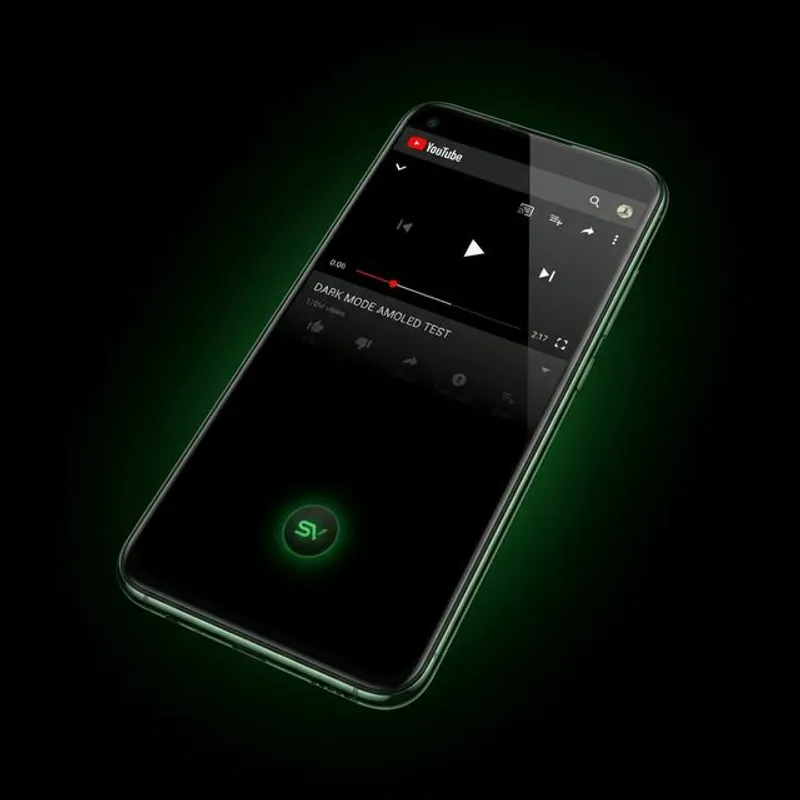
Stop Wasting Energy.
Modern screens are the #1 battery drainer. When you stream video just for the audio, you're burning through your charge for pixels you aren't even watching.
Battery Anxiety?
Display power saved on OLED/AMOLED at full brightness
Accidental Touches?
Lock your screen in pocket without stopping the stream
ScreenVeil is completely free. We do not sell your data, we do not show ads, and we do not require any permissions other than the display overlay.
Everything You Need.
Nothing You Don't.
Floating Quick Access
A draggable, one-tap button that stays accessible over any app. Activate ScreenVeil instantly without switching apps.
Pure Black Overlay
Specifically engineered for AMOLED/OLED screens where black pixels consume zero power. True black means true savings.
Smart Unlock System
Simple 'Touch to Reveal' controls to prevent ghost taps in your pocket. Double-tap or swipe to unlock instantly.
Real-Time Clock
View the time and date even while the screen is 'off'. Stay informed without breaking your focus or burning battery.
Universal Compatibility
Seamlessly works with YouTube, Netflix, Spotify, and any media player. One app to rule them all.
The Physics of Battery Conservation.
On OLED and AMOLED displays, each pixel is its own light source. By displaying 'True Black,' ScreenVeil instructs pixels to turn completely off. Google's own Android Dev Summit measurements put the saving at up to 63% of display power at full brightness — the darker your screen and the brighter your setting, the more you keep.
Zero Permissions. Total Privacy.
Unlike clones, ScreenVeil requires no internet access and no personal data. We only need the 'Overlay' permission to function. Your data stays on your device—where it belongs.
What Users Are Saying
“Perfect for those who have a phone with low battery and want to listen to podcasts on YouTube.”
Reddit User
r/Android
“Finally, a simple utility that does one thing really well without complex setup or ads.”
Early Adopter
Play Store
ScreenVeil vs. The Alternatives.
| Feature | ScreenVeil | YouTube Premium | Grayscale Filter Apps |
|---|---|---|---|
| Works across all apps | Yes | YouTube only | Yes |
| AMOLED pixel savings | True black | No | Partial |
| Pocket/touch lock | Yes | No | No |
| Cost | Free | $13.99/month | Free |
| Internet required | None | Required | None |
| Zero permissions | Overlay only | Full account | Varies |
Frequently Asked Questions
Yes. On LCD displays ScreenVeil acts as a screen dimmer and reduces brightness-related battery drain. The largest savings — up to 60% of display power at full brightness — come on AMOLED/OLED displays, where black pixels physically power off.
YouTube Premium only covers YouTube. ScreenVeil is a system-level utility that works across every app — Netflix, Spotify, Twitch, podcast players, and more. It also adds pocket mode to block accidental touches while your screen is covered.
ScreenVeil is a free Android app with 10,000+ downloads and a 4.4-star rating. It overlays a pure black layer on AMOLED/OLED screens so pixels physically turn off, cutting display power by up to 60% at full brightness while you listen to YouTube, podcasts, or any audio.
Simply open the YouTube app, start your video, and activate ScreenVeil from your notification shade or the floating button. Your screen will go black, but the audio will continue to play. For more details, see our full guide on <a href='/blog/youtube-background-play-2026-workaround' class='text-green-500 underline'>YouTube Background Play in 2026</a>.
This is the only way Android allows an app to place a layer over other apps (like YouTube or Netflix). We use this to draw the pure black 'Veil' over your screen. ScreenVeil does not require internet, camera, or contact permissions.
Yes. ScreenVeil includes a 'Pocket Guard' feature that blocks all touch inputs while the veil is active. This prevents accidental skipping, pausing, or 'ghost dialing' while your phone is in your pocket or bag.
No. ScreenVeil is engineered for extreme efficiency. It uses 0% CPU while active. By turning off the pixels on AMOLED screens, it removes almost all of the display's draw — up to 60% of screen power at full brightness — during audio-only playback.
No. ScreenVeil requires only the standard Android Overlay permission to function. No root, no ADB, no special setup. Install and activate in under 30 seconds.
ScreenVeil is engineered to handle aggressive battery management on MIUI, OneUI, and OxygenOS. We recommend adding ScreenVeil to your device's battery optimization whitelist for uninterrupted session performance.
ScreenVeil collects zero personal data. It requires no internet access and contains no third-party analytics SDKs. The only permission it needs is "Display over other apps" — nothing else.
Yes. ScreenVeil only controls the display layer — audio routing is handled entirely by Android. It works with all Bluetooth devices, wired headphones, speakers, and car audio systems.
Download ScreenVeil Free.
Join 10,000+ Android users cutting screen power every day. Zero permissions. Zero data collection. One tap to activate.
Free forever • AMOLED optimized • Zero permissions
Explore: Home • FomoGen • Mindful Guard
ScreenVeil
Free • 4.4 ★